> ## Documentation Index
> Fetch the complete documentation index at: https://docs.conversion.ai/llms.txt
> Use this file to discover all available pages before exploring further.
# Email Builder
> Design blast and workflow emails with Conversion's drag-and-drop email builder.
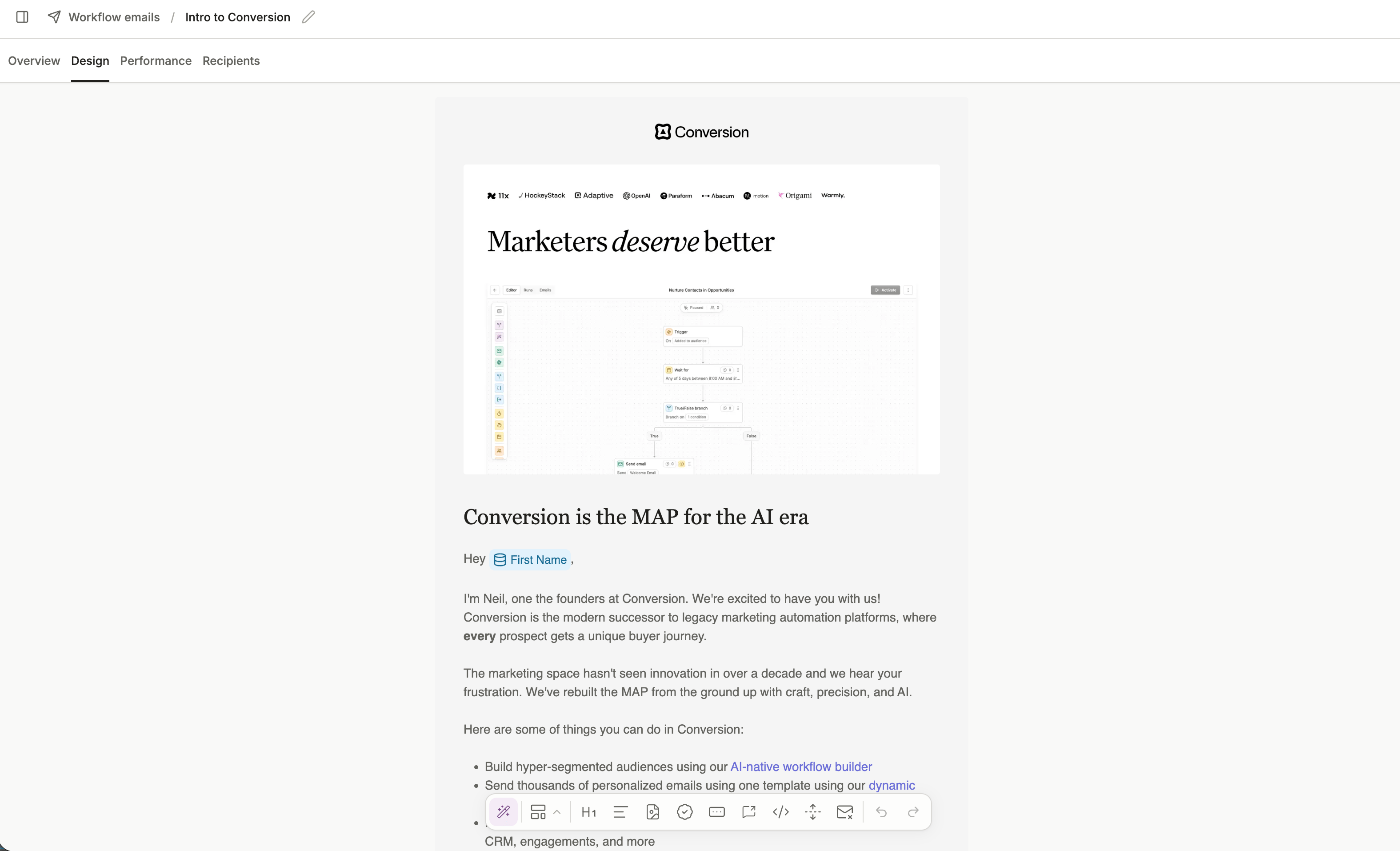
The email builder is Conversion's drag-and-drop editor for designing blast and workflow emails.
 ## Canvas
The centre of the builder is your email canvas. Drag blocks in from the toolbar at the bottom to build up your email structure.
## Toolbar
The toolbar at the bottom of the canvas gives you quick access to all available blocks. Read more about each block type in [Blocks](/product-docs/emails/email-builder/blocks).
## Theme panel
The right-hand panel contains your global [**Theme**](/product-docs/emails/email-builder/theme) settings. This has controls for the overall email design, default heading styles, text styles, and button styles. Changes made here apply across the entire email.
## Saving and naming
Your email is saved automatically as you build. You can rename the email at any time by clicking the edit icon next to the email name at the top of the builder.
## Canvas
The centre of the builder is your email canvas. Drag blocks in from the toolbar at the bottom to build up your email structure.
## Toolbar
The toolbar at the bottom of the canvas gives you quick access to all available blocks. Read more about each block type in [Blocks](/product-docs/emails/email-builder/blocks).
## Theme panel
The right-hand panel contains your global [**Theme**](/product-docs/emails/email-builder/theme) settings. This has controls for the overall email design, default heading styles, text styles, and button styles. Changes made here apply across the entire email.
## Saving and naming
Your email is saved automatically as you build. You can rename the email at any time by clicking the edit icon next to the email name at the top of the builder.