> ## Documentation Index
> Fetch the complete documentation index at: https://docs.conversion.ai/llms.txt
> Use this file to discover all available pages before exploring further.
# Preview & Test Send
> Preview your email across viewports and send a test to verify rendering before going live.
Before sending or scheduling an email, use the preview and test send features to make sure everything looks right.
## Previewing your email
Click **Preview** in the top right of the email builder to open the preview mode.
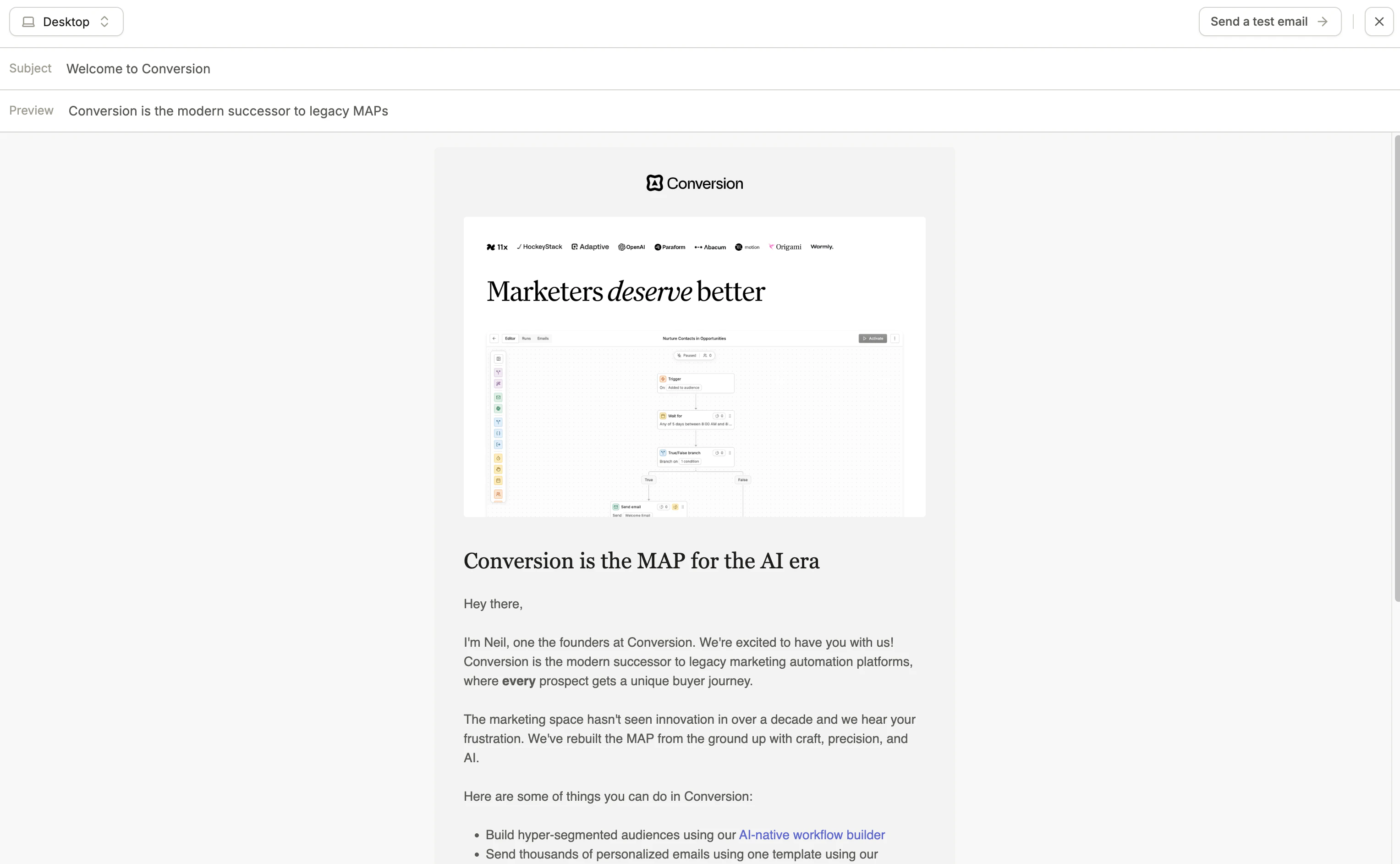 You can preview your email across different viewports:
| Viewport | Description |
| --------------------- | ----------------------------------------------------------------------------------------------------------------------------- |
| **Desktop** | Renders the email at a standard desktop width. |
| **Mobile** | Renders the email at a mobile screen width, so you can verify that mobile stacking and responsive behaviour work as expected. |
| **Custom dimensions** | Enter a specific width and height to preview at any viewport size. |
Always check your email in both desktop and mobile views before sending, especially if you're using multi-column sections.
## Sending a test email
You can send a test version of your email to any address to see exactly how it renders in a real inbox.
We recommend using an email testing tool such as Litmus or Email on Acid to preview how your email renders across different email clients like Gmail, Outlook, Apple Mail. Email clients can render emails differently.
You can preview your email across different viewports:
| Viewport | Description |
| --------------------- | ----------------------------------------------------------------------------------------------------------------------------- |
| **Desktop** | Renders the email at a standard desktop width. |
| **Mobile** | Renders the email at a mobile screen width, so you can verify that mobile stacking and responsive behaviour work as expected. |
| **Custom dimensions** | Enter a specific width and height to preview at any viewport size. |
Always check your email in both desktop and mobile views before sending, especially if you're using multi-column sections.
## Sending a test email
You can send a test version of your email to any address to see exactly how it renders in a real inbox.
We recommend using an email testing tool such as Litmus or Email on Acid to preview how your email renders across different email clients like Gmail, Outlook, Apple Mail. Email clients can render emails differently.