> ## Documentation Index
> Fetch the complete documentation index at: https://docs.conversion.ai/llms.txt
> Use this file to discover all available pages before exploring further.
# Recipients
> View and understand the recipient list and delivery statuses for individual emails in Conversion.
When sending emails in Conversion, emails are sent to **recipients** rather than directly to contacts. Understanding how recipients work is important for maintaining deliverability, staying compliant with email regulations, and keeping your contact list healthy.
## How recipients work
**Deduplication by email address.** If two or more contacts share the same email address, they are mapped to a single recipient. This ensures the same inbox never receives the same email more than once.
**Subscription status.** Each recipient carries a subscription status that controls whether they can receive marketing emails from your organization.
## Subscription status
Every recipient has one of the following statuses:
| Status | Description |
| ------------------ | ---------------------------------------------------------------------------------------------------------------------------------------------------------------------------------------------------------------------------------------------- |
| **No status** | The default state for new recipients. Conversion will not send marketing emails to these recipients. |
| **Subscribed** | The recipient has opted in and can receive marketing emails. |
| **Unsubscribed** | The recipient has opted out and will not receive marketing emails. |
| **Bounced** | An email sent to this recipient has hard bounced. Conversion will not attempt to send further emails to this address. The email address is also added to Conversion's global bounce list, which prevents delivery across all Conversion users. |
| **Global bounced** | This recipient's email was detected on Conversion's global bounce list, which tracks bounces across all Conversion users. |
| **Complained** | The recipient has marked an email as spam. Conversion will not send further emails to this address. |
This subscription model helps keep you compliant with regulations like GDPR, which require explicit consent before sending marketing communications.
Make sure to subscribe contacts via one of the methods below to opt them into marketing before sending them email communication.
## How unsubscribing works
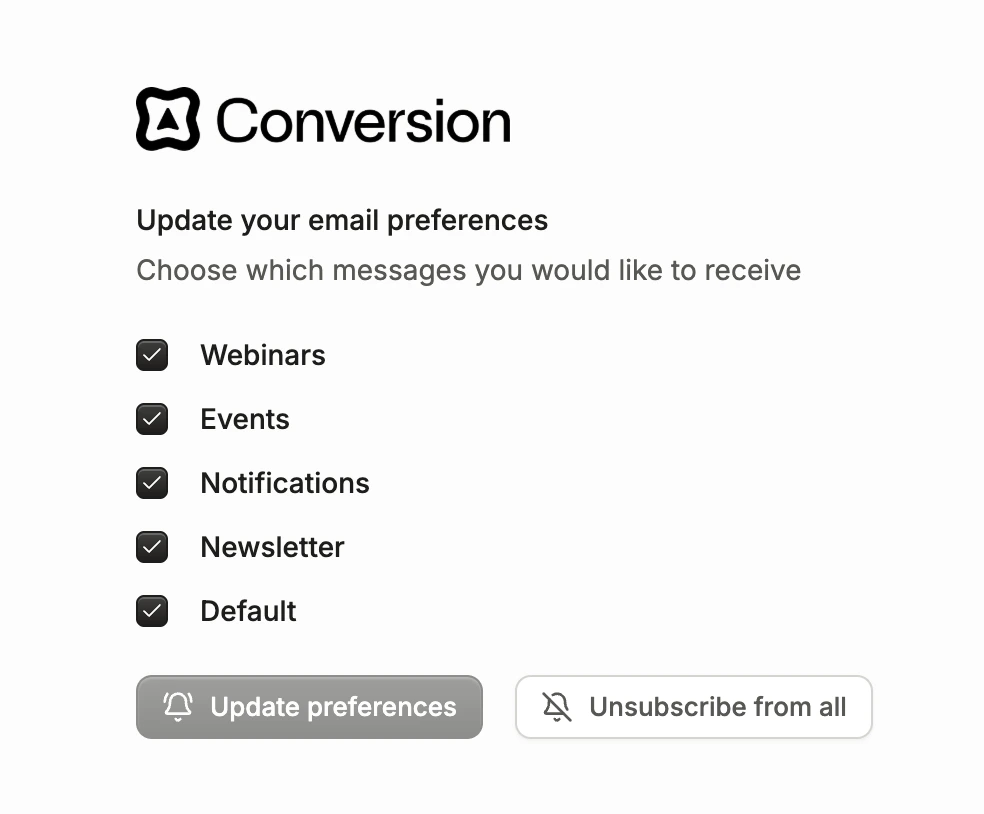
A recipient's status is only set to **Unsubscribed** when they toggle off the global **Unsubscribe from all** option. Topic-level preferences alone do not change the recipient's subscription status.
This means:
* If a recipient toggles off one or more marketing topics but leaves the global toggle on, their status remains unchanged.
* If a recipient toggles off every individual topic but leaves the global toggle on, their status still remains unchanged. This is intentional — it signals that the recipient is open to receiving emails on new topics your organization may add in the future.
Marketing topics are configured in [Settings → Emails & Domains](/product-docs/workspace-settings/emails-and-domains/overview#subscriptions-and-topic-level-unsubscribes), where you can also read more about how global and topic-level subscriptions interact.
## Setting subscription status
You can set a recipient's subscription status when adding or updating contacts in Conversion:
**Forms:** Enable the **Automatically subscribe contacts** toggle in your form's [General Settings](/product-docs/forms/dashboard/settings/general). Contacts who submit the form will be marked as subscribed if they previously had no subscription status.
**Workflows:** Use the [Update Subscription Status](/product-docs/workflows/nodes/update-subscription-status) workflow node to update the contact's subscription status.
**CSV upload:** When importing contacts via CSV, toggle the option to subscribe the imported contacts. New contacts will be subscribed to marketing emails. Existing contacts with no subscription status will also be subscribed.
**API:** Pass the subscription status field when creating or updating a contact through the [Conversion API](/api-reference/overview).
**Contacts view:** You can edit multiple contacts' subscription statuses in the Contacts table view, or individually per contact.
## Viewing recipients of an email
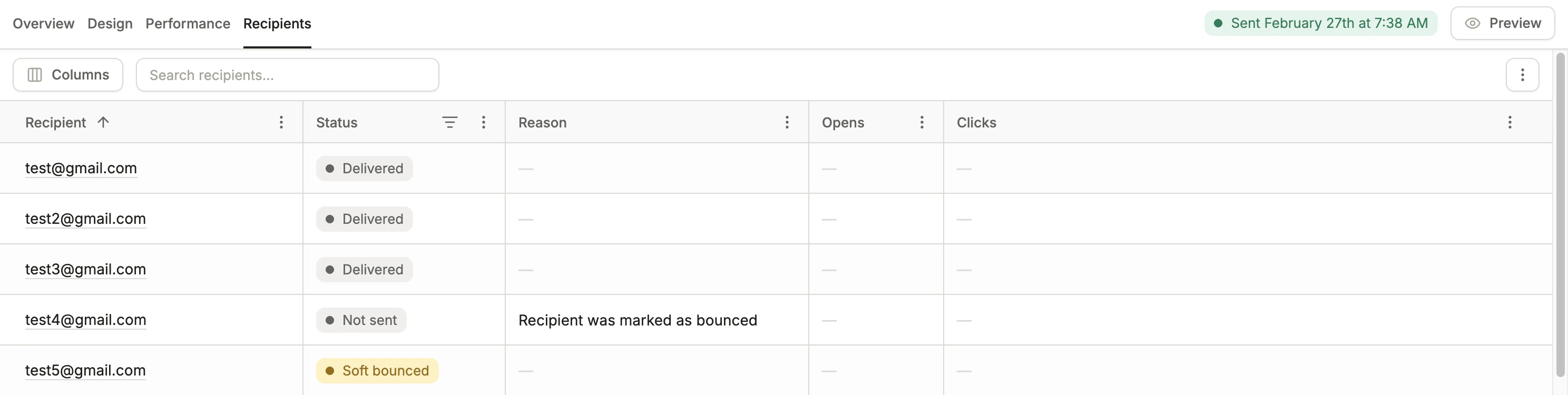 Each email has a **Recipients** tab where you can view individual recipients of the email. Per recipient, you can view:
* **Status** - describes the outcome or action of a recipient (ex. "Clicked")
* **Reason** - a detailed reason describing the status
* **Opens** - the number of times this recipient opened the email
* **Clicks** - the number of times this recipient clicked a link in the email
These are measured with bots filtered out.
In this view, you can search for individual recipients, filter by status, and export the list of recipients.
There may be multiple recipients with the same email address, if the workflow email was sent to the same contact multiple times or it was sent to contacts with the same email address.
### Possible email statuses
Below are the possible statuses for an email recipient. The following recipient statuses are listed in priority order — higher priority statuses take precedence in the display (ex. "Clicked" overrides "Opened").
| Status | Description |
| ---------------- | ----------------------------------------------------------------------------------------------------------------------------------------------------------------- |
| **Not sent** | This email was not sent to the recipient (failed inbox validation, the email address was on Conversion's global bounce list, etc.) |
| **Complained** | The recipient marked this email as spam |
| **Unsubscribed** | The recipient unsubscribed from at least one topic through this email |
| **Bounced** | This email hard bounced from the recipient's inbox. The recipient's status is set to "bounced" and the email address is added to Conversion's global bounce list. |
| **Soft bounced** | This email soft bounced from the recipient's inbox |
| **Clicked** | The recipient clicked a link in this email |
| **Opened** | The recipient opened this email |
| **Delivered** | This email was delivered to the recipient's mail server |
| **Sent** | This email was successfully sent to the recipient |
### "Not Sent" reasons
Below are all possible reasons an email was **not sent**:
| Reason | Description |
| --------------------------------------------------------------------------------- | ----------------------------------------------------------------------------------------------------------------------------------------------------------- |
| **Recipient was previously unsubscribed** | The recipient's subscription status was "unsubscribed" when this email attempted to send. |
| **Recipient was marked as bounced** | The recipient's subscription status was "bounced" when this email attempted to send. |
| **Recipient was on the global bounced list** | The recipient's subscription status was "global bounced" when this email attempted to send.\* |
| **Recipient was marked as complained** | The recipient's subscription status was "complained" when this email attempted to send. |
| **Recipient had no subscription status** | The recipient had no subscription status when this email attempted to send. They were never explicitly subscribed, so the system treats them as ineligible. |
| **Recipient is unsubscribed from this topic** | The recipient is globally subscribed but has specifically unsubscribed from the marketing topic assigned to this email. |
| **Recipient email is not valid** | The email address failed basic format validation (e.g. malformed address). |
| **Recipient email failed inbox validation** | The recipient failed Conversion's email address validation check (powered by [ZeroBounce](https://www.zerobounce.net/)). |
| **Recipient is in the global bounced list** | The recipient is on Conversion's global bounce list, which tracks email addresses that have hard bounced for other Conversion users.\* |
| **The recipient email has reached the communication limit of N emails per day** | The recipient has already received the maximum allowed emails for the current day. |
| **The recipient email has reached the communication limit of N emails per week** | The recipient has already received the maximum allowed emails for the current week. |
| **The recipient email has reached the communication limit of N emails per month** | The recipient has already received the maximum allowed emails for the current month. |
| **The same email has been sent to this recipient 3 times in the last 8 hours** | An internal safety limit that prevents the exact same email from sending to a recipient too many times. |
\*The first time an email is attempted to be sent to an address on Conversion's global bounce list, the not sent reason is set to "Recipient **is in** the global bounced list" and the recipient's status is set to "global bounced."
The next time an email is attempted to send to that recipient, because the recipient status is "global bounced," the not sent reason is instead "Recipient was on the global bounced list."
If an email is not sent because the recipient failed ZeroBounce inbox validation, the recipient's subscription status is **not** changed. Conversion simply skips sending the email.
Each email has a **Recipients** tab where you can view individual recipients of the email. Per recipient, you can view:
* **Status** - describes the outcome or action of a recipient (ex. "Clicked")
* **Reason** - a detailed reason describing the status
* **Opens** - the number of times this recipient opened the email
* **Clicks** - the number of times this recipient clicked a link in the email
These are measured with bots filtered out.
In this view, you can search for individual recipients, filter by status, and export the list of recipients.
There may be multiple recipients with the same email address, if the workflow email was sent to the same contact multiple times or it was sent to contacts with the same email address.
### Possible email statuses
Below are the possible statuses for an email recipient. The following recipient statuses are listed in priority order — higher priority statuses take precedence in the display (ex. "Clicked" overrides "Opened").
| Status | Description |
| ---------------- | ----------------------------------------------------------------------------------------------------------------------------------------------------------------- |
| **Not sent** | This email was not sent to the recipient (failed inbox validation, the email address was on Conversion's global bounce list, etc.) |
| **Complained** | The recipient marked this email as spam |
| **Unsubscribed** | The recipient unsubscribed from at least one topic through this email |
| **Bounced** | This email hard bounced from the recipient's inbox. The recipient's status is set to "bounced" and the email address is added to Conversion's global bounce list. |
| **Soft bounced** | This email soft bounced from the recipient's inbox |
| **Clicked** | The recipient clicked a link in this email |
| **Opened** | The recipient opened this email |
| **Delivered** | This email was delivered to the recipient's mail server |
| **Sent** | This email was successfully sent to the recipient |
### "Not Sent" reasons
Below are all possible reasons an email was **not sent**:
| Reason | Description |
| --------------------------------------------------------------------------------- | ----------------------------------------------------------------------------------------------------------------------------------------------------------- |
| **Recipient was previously unsubscribed** | The recipient's subscription status was "unsubscribed" when this email attempted to send. |
| **Recipient was marked as bounced** | The recipient's subscription status was "bounced" when this email attempted to send. |
| **Recipient was on the global bounced list** | The recipient's subscription status was "global bounced" when this email attempted to send.\* |
| **Recipient was marked as complained** | The recipient's subscription status was "complained" when this email attempted to send. |
| **Recipient had no subscription status** | The recipient had no subscription status when this email attempted to send. They were never explicitly subscribed, so the system treats them as ineligible. |
| **Recipient is unsubscribed from this topic** | The recipient is globally subscribed but has specifically unsubscribed from the marketing topic assigned to this email. |
| **Recipient email is not valid** | The email address failed basic format validation (e.g. malformed address). |
| **Recipient email failed inbox validation** | The recipient failed Conversion's email address validation check (powered by [ZeroBounce](https://www.zerobounce.net/)). |
| **Recipient is in the global bounced list** | The recipient is on Conversion's global bounce list, which tracks email addresses that have hard bounced for other Conversion users.\* |
| **The recipient email has reached the communication limit of N emails per day** | The recipient has already received the maximum allowed emails for the current day. |
| **The recipient email has reached the communication limit of N emails per week** | The recipient has already received the maximum allowed emails for the current week. |
| **The recipient email has reached the communication limit of N emails per month** | The recipient has already received the maximum allowed emails for the current month. |
| **The same email has been sent to this recipient 3 times in the last 8 hours** | An internal safety limit that prevents the exact same email from sending to a recipient too many times. |
\*The first time an email is attempted to be sent to an address on Conversion's global bounce list, the not sent reason is set to "Recipient **is in** the global bounced list" and the recipient's status is set to "global bounced."
The next time an email is attempted to send to that recipient, because the recipient status is "global bounced," the not sent reason is instead "Recipient was on the global bounced list."
If an email is not sent because the recipient failed ZeroBounce inbox validation, the recipient's subscription status is **not** changed. Conversion simply skips sending the email.