> ## Documentation Index
> Fetch the complete documentation index at: https://docs.conversion.ai/llms.txt
> Use this file to discover all available pages before exploring further.
# Email Templates
> Save and reuse email designs to maintain visual consistency and speed up email creation.
Templates let your team save email designs and reuse them when creating new blasts or workflow emails. They help maintain visual consistency across campaigns and speed up email creation.
## Types of templates
When creating a new email, you'll be prompted to choose a starting point.
### My templates
These are templates your team has previously saved within Conversion.
Used to standardize recurring emails, an outbound structure, or a branded announcement layout.
### Curated
Curated templates are a set of fully designed, ready-to-use email templates built by Conversion. They cover common email use cases and are designed to be customised with your own branding and content.
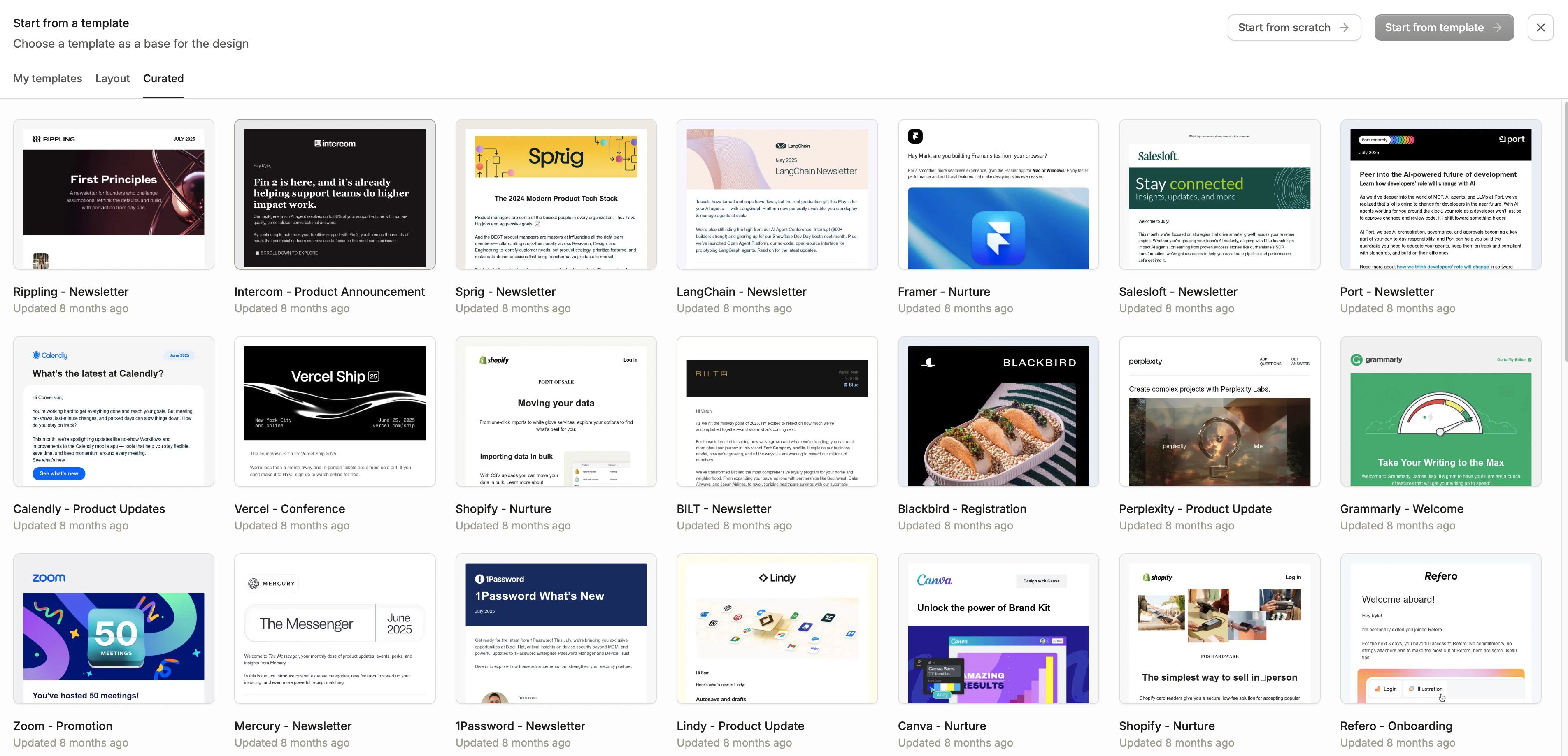 Used when you want a polished starting point with minimal setup.
***
## Saving a template
To save an email as a template, use the options menu inside the email builder. Saved templates will appear under the **My templates** tab the next time you create an email.
Used when you want a polished starting point with minimal setup.
***
## Saving a template
To save an email as a template, use the options menu inside the email builder. Saved templates will appear under the **My templates** tab the next time you create an email.