> ## Documentation Index
> Fetch the complete documentation index at: https://docs.conversion.ai/llms.txt
> Use this file to discover all available pages before exploring further.
# Form Dashboard Overview
> Overview tab of the forms dashboard
The **Overview** tab of a form displays stats about your form performance
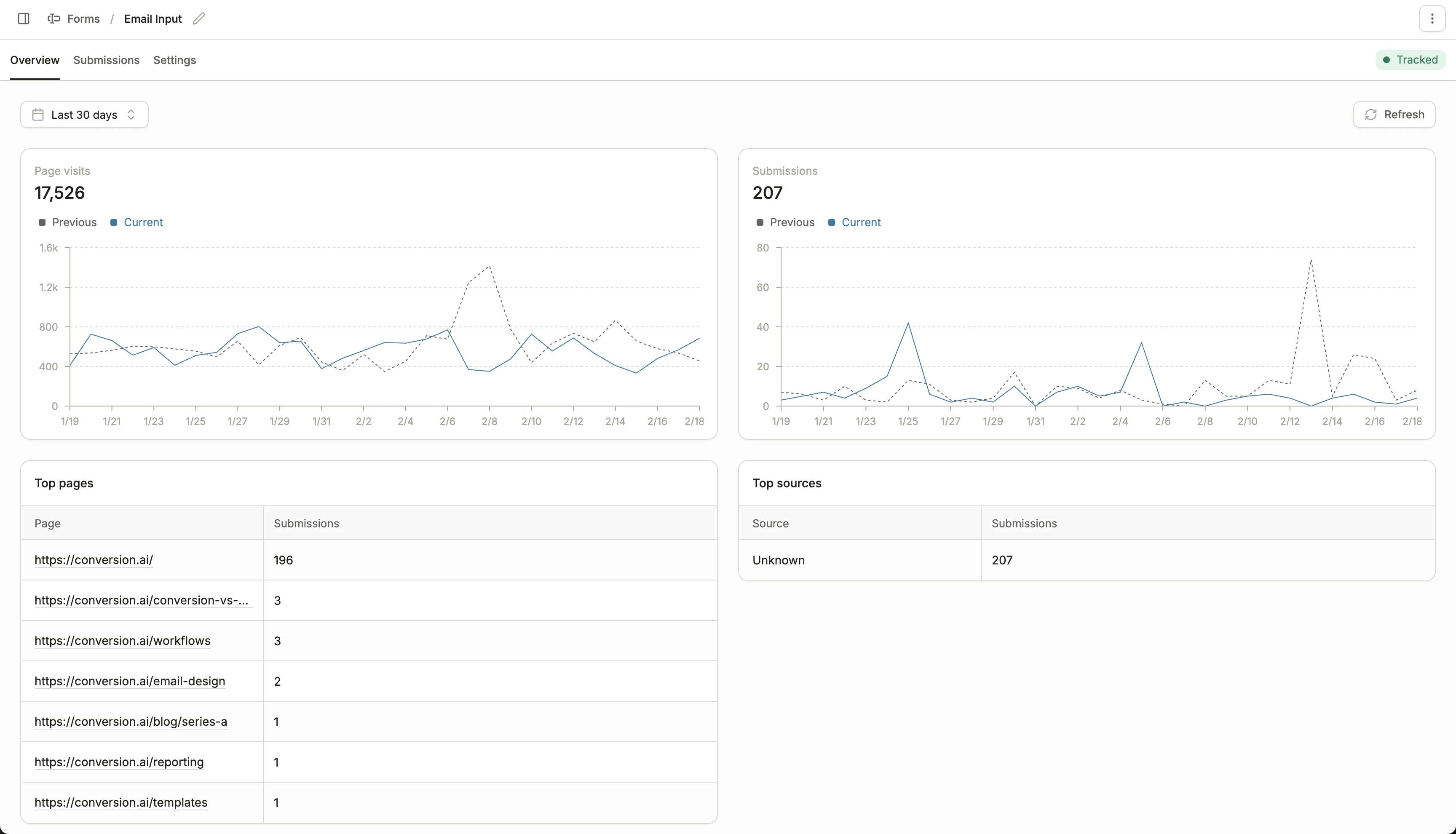 * **Page visits over time:** How often the pages containing this form were viewed
* **Submissions over time:** Number of submissions this form received
* **Top pages:** The page URLs driving the most form submissions
* **Top sources:** The `utm_source` values driving the most form submissions, pulled from the page's URL
## Form actions
Here is a list of actions you can take on a form, by clicking on the **three dots** on the top right:
* Move the form to a folder
* Remove the form from a folder
* Rename a form
* Duplicate a form
* Delete a form
Deleted form submissions will still appear on contact activity timelines, and count towards any segmentation you run.
* **Page visits over time:** How often the pages containing this form were viewed
* **Submissions over time:** Number of submissions this form received
* **Top pages:** The page URLs driving the most form submissions
* **Top sources:** The `utm_source` values driving the most form submissions, pulled from the page's URL
## Form actions
Here is a list of actions you can take on a form, by clicking on the **three dots** on the top right:
* Move the form to a folder
* Remove the form from a folder
* Rename a form
* Duplicate a form
* Delete a form
Deleted form submissions will still appear on contact activity timelines, and count towards any segmentation you run.