> ## Documentation Index
> Fetch the complete documentation index at: https://docs.conversion.ai/llms.txt
> Use this file to discover all available pages before exploring further.
# Form General Settings
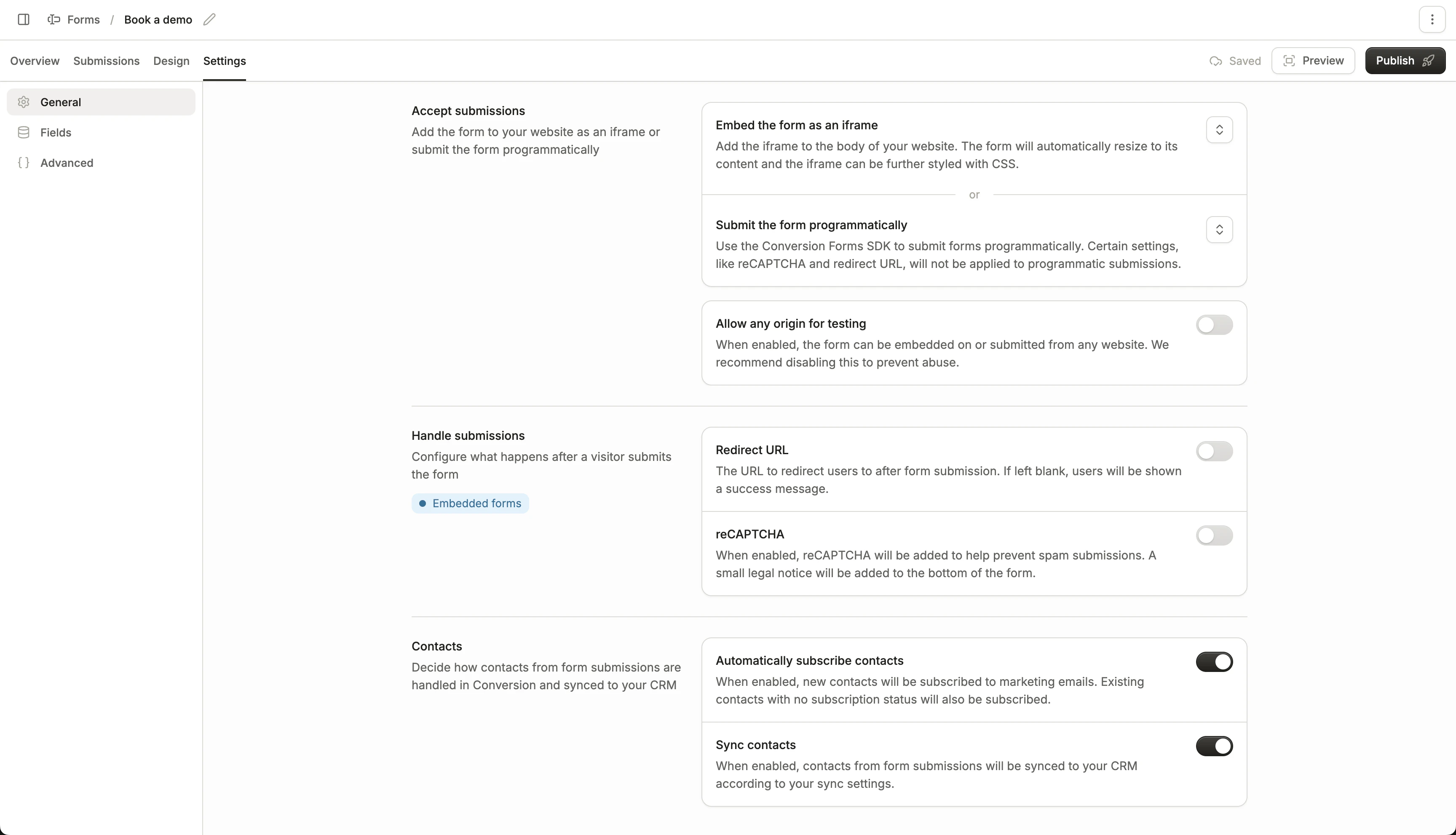
> The general settings tab of your form
Configure your form settings under the **General** tab of your form's settings page.
 ## Accept submissions
This section provides two methods of adding your Conversion form to your website:
1. iframe script (to embed the Conversion form)
2. Forms SDK script (read more about our [Forms SDK](/product-docs/forms/forms-sdk))
**Allow any origin for testing:** By enabling this, your form can be displayed and submitted on domains outside your registered business domain. This can be helpful for testing your form on a staging website.
This section is only available for Conversion forms, not external forms that Conversion listens to
## Handle submissions
Configure the following settings:
1. **Redirect URL:** Choose whether you want the form to redirect to another page after a successful submission. If turned off, the submit button will display "Submitted" after submission.
2. **reCAPTCHA:** Choose to enable reCAPTCHA, which users will need to pass in order to submit the form.
This section is only available for embedded Conversion forms
## Contacts
Configure how the form handles contact syncing and creation:
1. **Automatically subscribe contacts:** Contacts that fill out this form will be marked as "subscribed," if they previously had no subscription status.
2. **Sync contacts:** Contacts that fill out this form will be synced to your CRM, following your CRM sync settings.
This includes **both** new contacts that are created, and contacts that are currently in Conversion that aren't yet synced to your CRM.
## Accept submissions
This section provides two methods of adding your Conversion form to your website:
1. iframe script (to embed the Conversion form)
2. Forms SDK script (read more about our [Forms SDK](/product-docs/forms/forms-sdk))
**Allow any origin for testing:** By enabling this, your form can be displayed and submitted on domains outside your registered business domain. This can be helpful for testing your form on a staging website.
This section is only available for Conversion forms, not external forms that Conversion listens to
## Handle submissions
Configure the following settings:
1. **Redirect URL:** Choose whether you want the form to redirect to another page after a successful submission. If turned off, the submit button will display "Submitted" after submission.
2. **reCAPTCHA:** Choose to enable reCAPTCHA, which users will need to pass in order to submit the form.
This section is only available for embedded Conversion forms
## Contacts
Configure how the form handles contact syncing and creation:
1. **Automatically subscribe contacts:** Contacts that fill out this form will be marked as "subscribed," if they previously had no subscription status.
2. **Sync contacts:** Contacts that fill out this form will be synced to your CRM, following your CRM sync settings.
This includes **both** new contacts that are created, and contacts that are currently in Conversion that aren't yet synced to your CRM.