

How it works
When a contact reaches a Variable Branch in a workflow, Conversion checks the value of the variable you’ve selected (for example:industry, region, or plan_type). Each defined path corresponds to a specific value of that variable.
- If the contact’s variable value matches one of the defined paths, they will continue down that branch.
- If the value does not match any of the listed paths, the contact will automatically be routed down the All others branch.
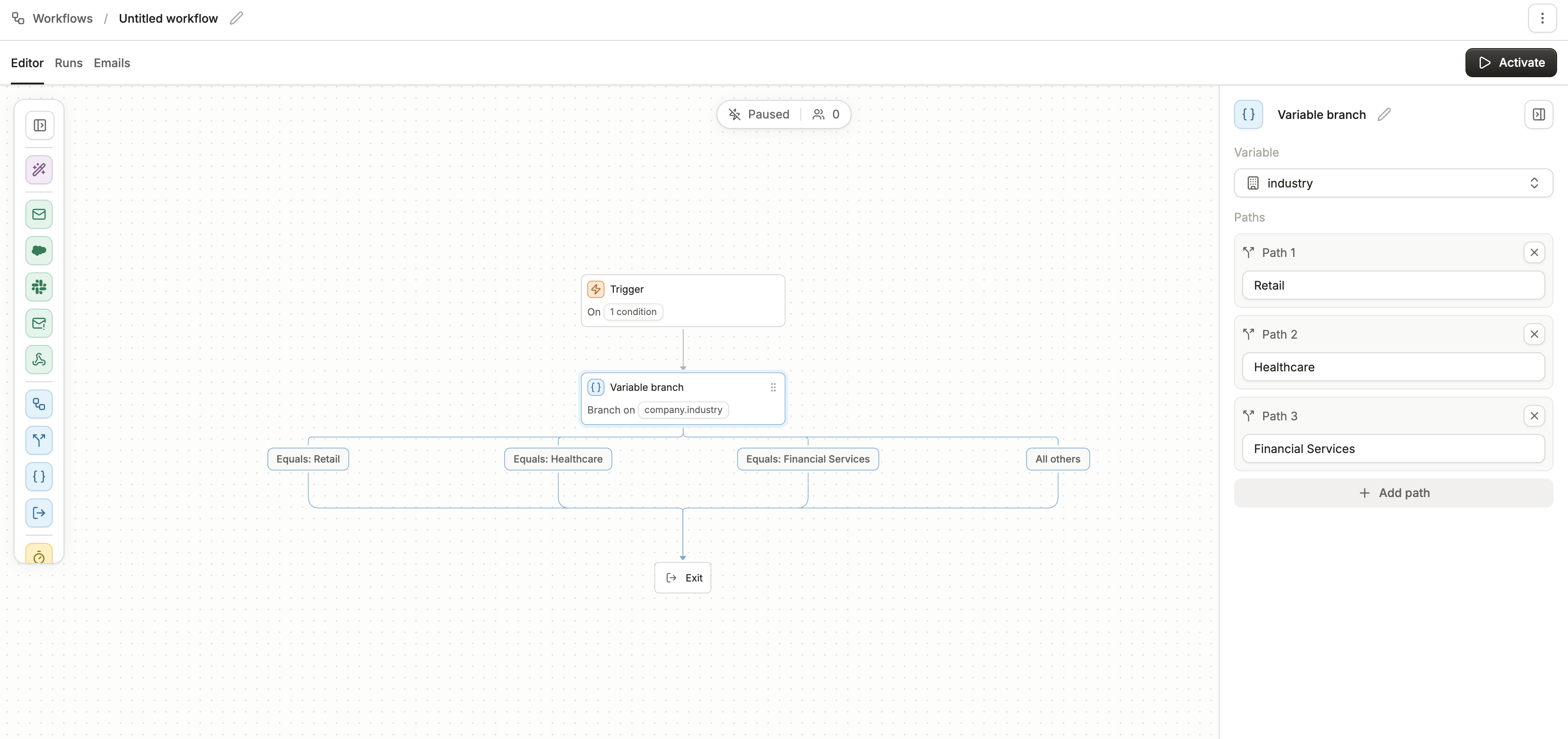
Example
Let’s say you’re branching based on theindustry variable:
- Path 1:
Software Development→ Send a product-led email sequence. - Path 2:
Financial Services→ Send compliance-focused content. - Path 3:
Healthcare→ Send security and integrations content. - All others → Send a general nurture sequence.
industry = Software Development, they’ll follow Path 1. If they have any other industry value (like Education, Retail, or Unknown), they’ll be routed to All others.
Common Uses
- Sending different onboarding sequences based on plan type (Free, Pro, Enterprise).
- Routing leads to different sales reps based on region.
- Tailoring nurture streams to industry.
- Providing personalized offers depending on lifecycle stage.
Best practices
- Keep it clean: Don’t create dozens of paths unless necessary. Group smaller segments together and use “All others” for long-tail values.
- Review variable formatting: Make sure the values you expect (e.g.
Information Technology & Services) match exactly how they’re stored in your CRM or enrichment source. - Test with sample contacts: Run test contacts through your workflow to confirm they branch as expected.
- Combine with enrichment: Use Magic Enrichment to fill in missing variables before branching, so more contacts land in a specific path instead of “All others.”