

Summary
Apollo enrichment lets you automatically pull additional firmographic and contact data from Apollo into Conversion workflows. You can map Apollo fields like job title, company size, or LinkedIn profile to your own variables, keeping your CRM and marketing data up to date without manual work.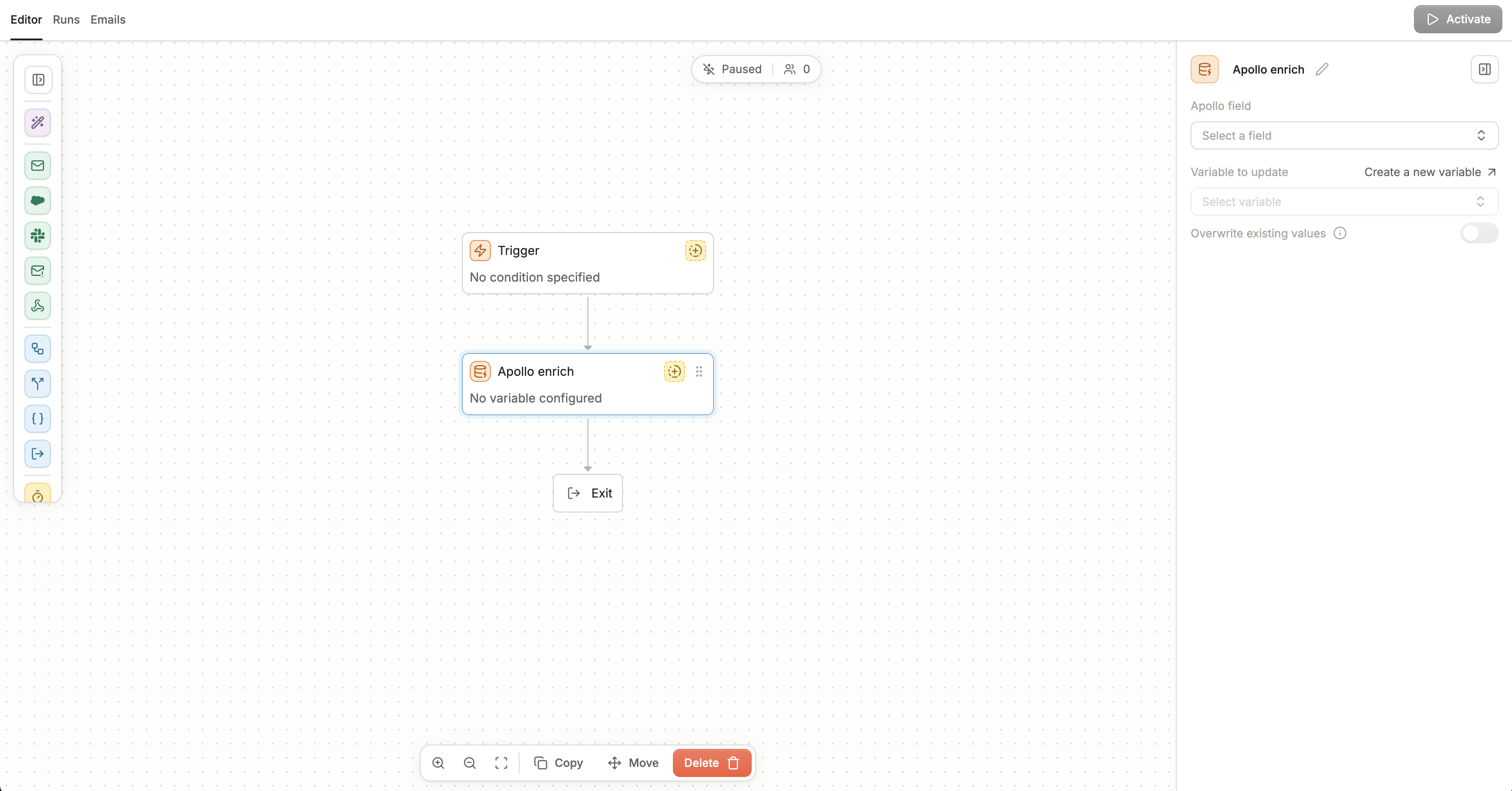
Apollo Enrichment node in a workflow
Connecting Apollo in settings
To connect Apollo, go to Settings → Integrations and navigate to Apollo. You’ll be prompted to complete OAuth authentication with your Apollo account. Once authorized, Apollo will appear as a connected integration in your workspace. You can remove or re-authorize at any time if credentials expire or if you need to connect a different account.
Under Settings, Integrations
Required permissions
Here are the required permissions for the Apollo integration:1
Authorize Third Party Apps
Ensure the “Can authorize third-party apps/integrations via OAuth” box is checked, under Settings > Users and teams > Permission profiles in Apollo. Read more here.
2
Required Scopes
Here is a list of required scopes the user authenticating needs to have: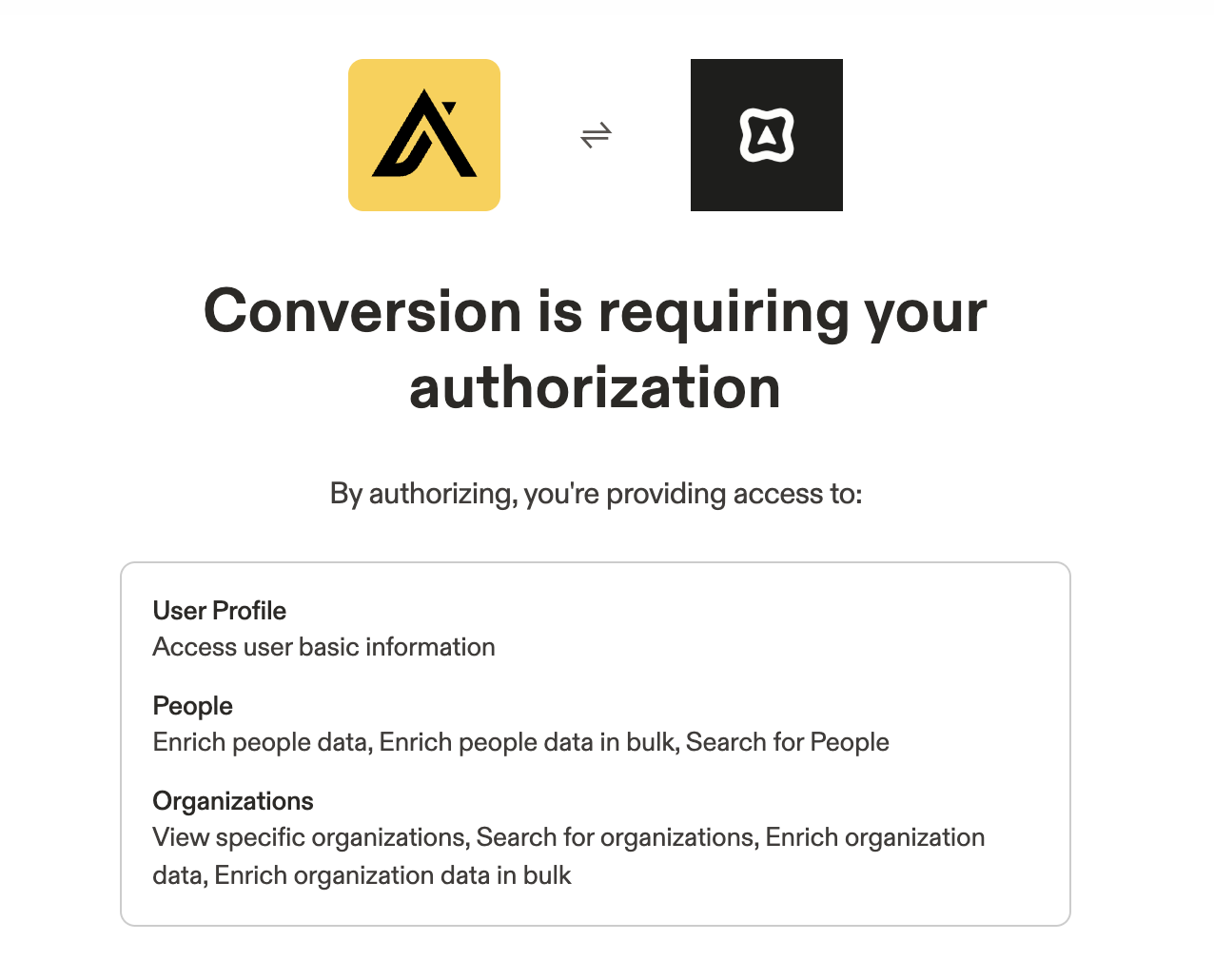
app_scopespeople_matchpeople_bulk_matchpeople_searchorganization_readorganizations_searchorganizations_enrichorganizations_bulk_enrich
Configuring your Apollo Enrichment Node
Inside the workflow editor, drag in the Apollo enrich block. You’ll be asked to configure: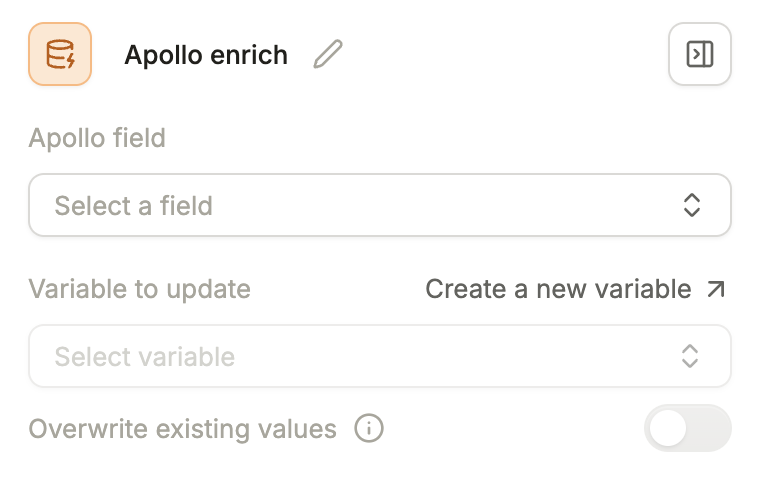
1
Apollo field
Select which Apollo field you want to pull data from the following options:
-
Person fields - First name, Last name, Job title, etc.
These fields are often prefixed by “Contact”
-
Organization fields - Company name, Company annual revenue, etc.
These fields are prefixed by “Company”
2
Variable to update
Choose an existing variable or create a new one.
3
Overwrite toggle
Decide if Apollo data should replace existing values in Conversion, or only fill empty ones.