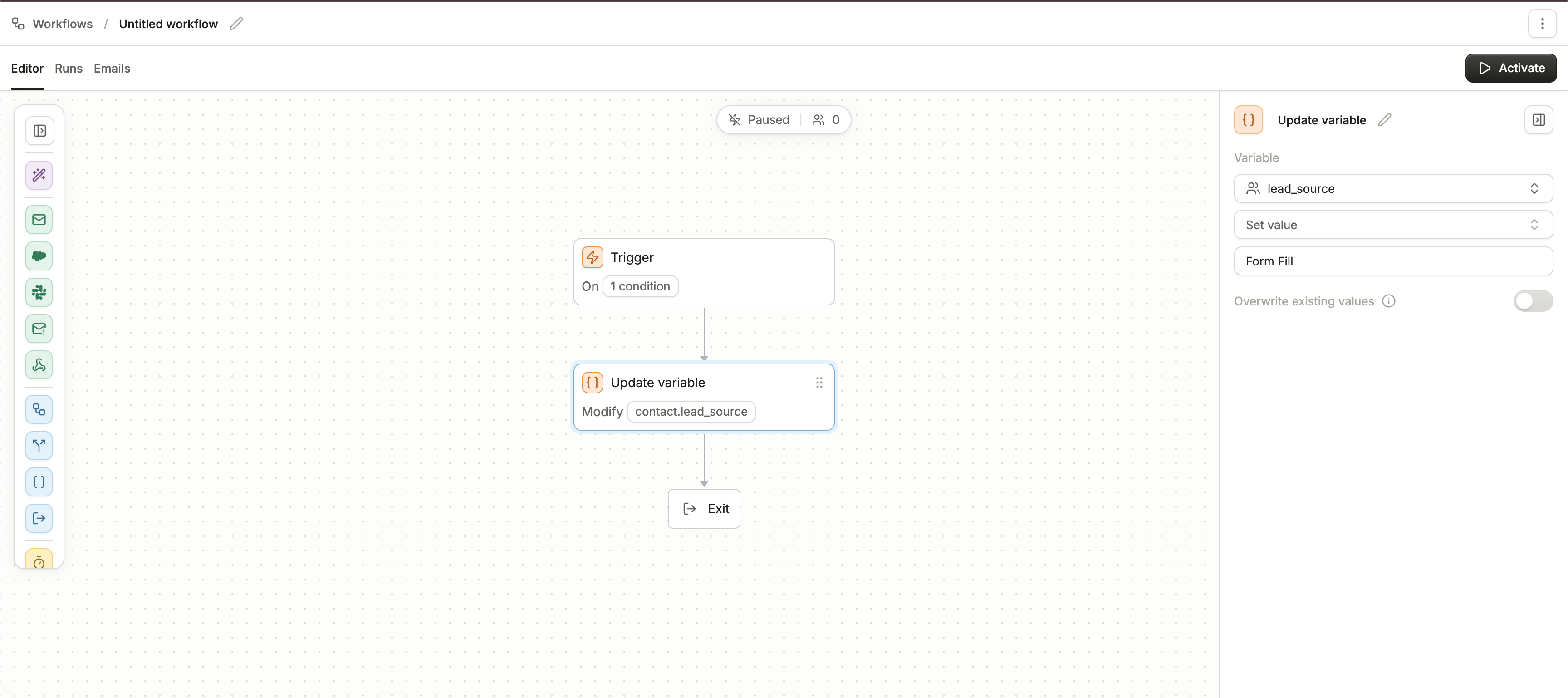
Skip to main contentUpdate variable lets you directly modify the value of a variable for a contact as they move through a workflow. This is useful for keeping data fresh, stamping lifecycle events, or managing temporary flags used in automation logic.
There are two main actions available when updating a variable:
Clear value
- Removes any existing value stored in the selected variable.
- This is helpful when you want to reset a variable before setting a new value later, or when you no longer need to track the data for that contact.
- Example: clearing a
last_clicked_date variable at the beginning of a nurture sequence so it can be updated only when a new click occurs.
Set value
- Assigns a new value to the variable. You can manually enter a fixed value, or map in dynamic values depending on the workflow design.
- Example: setting a variable called
lead_stage to “MQL” once a contact reaches a qualifying step.
Overwrite existing values
- By default, if the variable already contains a value, it will not be overwritten.
- If you enable the toggle, any existing value will be replaced with the new one you set.
- Example: if a variable
status already contains “active,” and you set it to “inactive” with overwrite enabled, the old value will be replaced.