

How recipients work
Deduplication by email address. If two or more contacts share the same email address, they are mapped to a single recipient. This ensures the same inbox never receives the same email more than once. Subscription status. Each recipient carries a subscription status that controls whether they can receive marketing emails from your organization.Subscription status
Every recipient has one of the following statuses:This subscription model helps keep you compliant with regulations like GDPR, which require explicit consent before sending marketing communications.
How unsubscribing works
A recipient’s status becomes Unsubscribed when they opt out globally, either from Unsubscribe from all or a one-click unsubscribe configured for all marketing emails. Topic-level preferences alone do not change their status. This means:- If a recipient toggles off one or more marketing topics but leaves the global toggle on, their status remains unchanged.
- If a recipient toggles off every individual topic but leaves the global toggle on, their status still remains unchanged. This is intentional — it signals that the recipient is open to receiving emails on new topics your organization may add in the future.
Marketing topics are configured in Settings → Emails & Domains, where you can also read more about how global and topic-level subscriptions interact.
One-click unsubscribe
The inbox Unsubscribe button follows your workspace’s one-click unsubscribe setting, which can apply globally or only to the email’s topic.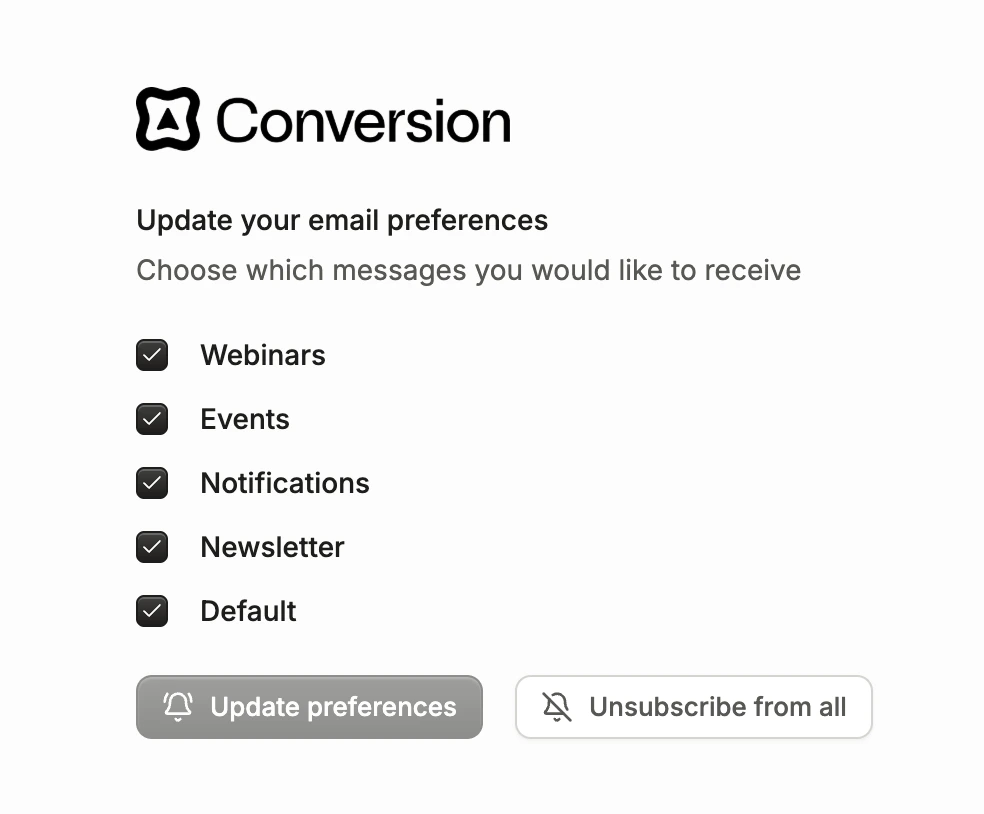
Unsubscribe toggles
Setting subscription status
You can set a recipient’s subscription status when adding or updating contacts in Conversion: Forms: Enable the Automatically subscribe contacts toggle in your form’s General Settings. Contacts who submit the form will be marked as subscribed if they previously had no subscription status. Workflows: Use the Update Subscription Status workflow node to update the contact’s subscription status. CSV upload: When importing contacts via CSV, toggle the option to subscribe the imported contacts. New contacts will be subscribed to marketing emails. Existing contacts with no subscription status will also be subscribed. API: Pass the subscription status field when creating or updating a contact through the Conversion API. Contacts view: You can edit multiple contacts’ subscription statuses in the Contacts table view, or individually per contact.Viewing recipients of an email
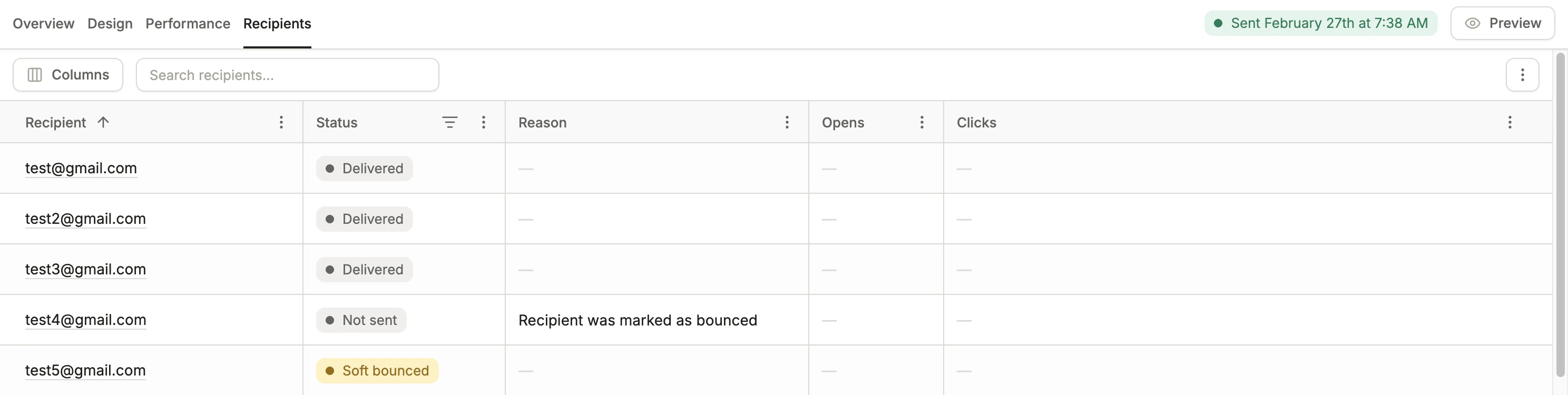
Email Recipients tab
- Status - describes the outcome or action of a recipient (ex. “Clicked”)
- Reason - a detailed reason describing the status
- Opens - the number of times this recipient opened the email
- Clicks - the number of times this recipient clicked a link in the email
These are measured with bots filtered out.
Possible email statuses
Below are the possible statuses for an email recipient. The following recipient statuses are listed in priority order — higher priority statuses take precedence in the display (ex. “Clicked” overrides “Opened”).”Not Sent” reasons
Below are all possible reasons an email was not sent:*The first time an email is attempted to be sent to an address on Conversion’s global bounce list, the not sent reason is set to “Recipient is in the global bounced list” and the recipient’s status is set to “global bounced.”The next time an email is attempted to send to that recipient, because the recipient status is “global bounced,” the not sent reason is instead “Recipient was on the global bounced list.”
If an email is not sent because the recipient failed ZeroBounce inbox validation, the recipient’s subscription status is not changed. Conversion simply skips sending the email.