

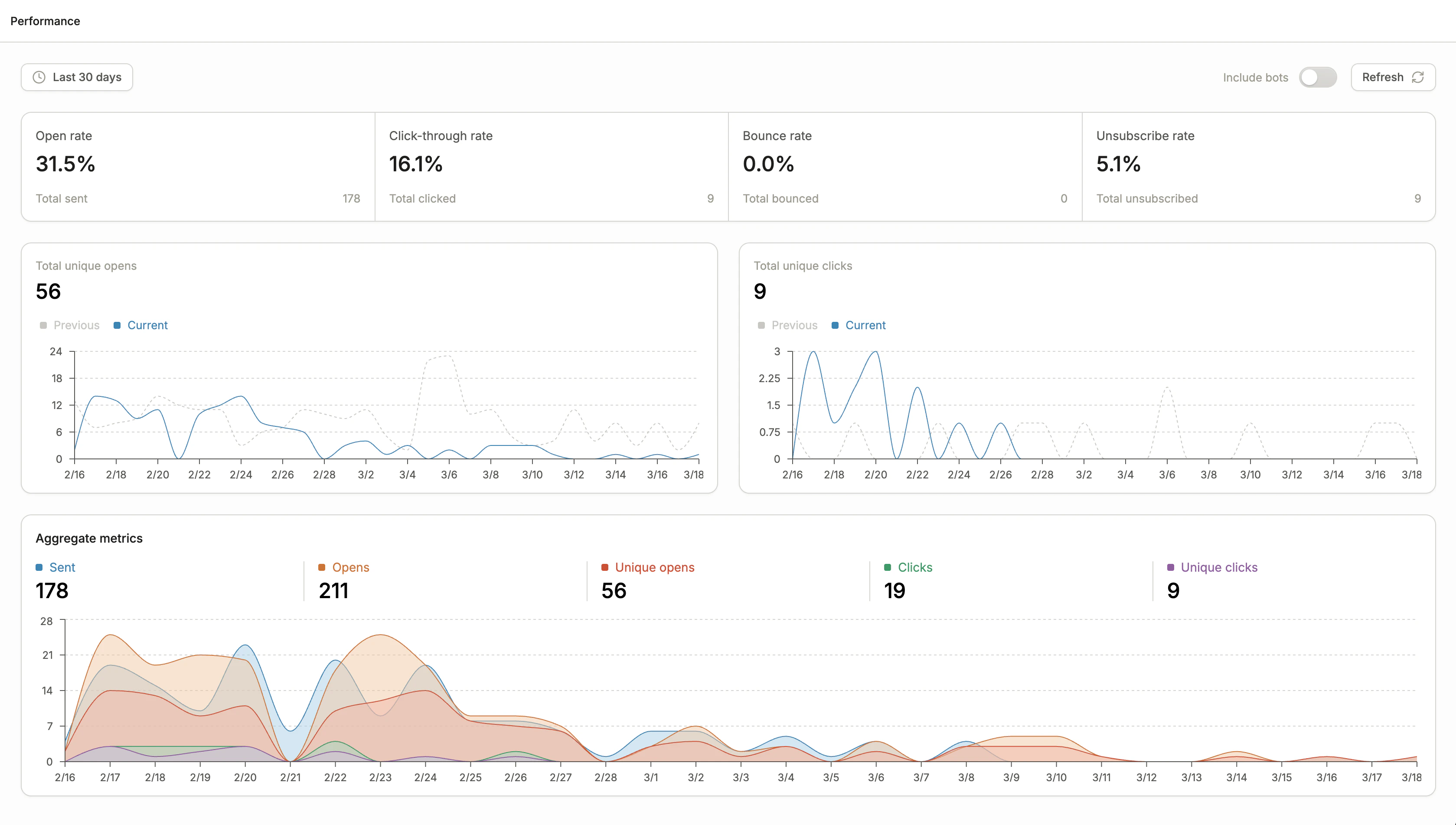
Email performance dashboard
Metric definitions
Definitions of email performance metrics:Time range
Use the time range selector in the top left to filter performance data. You can choose from preset ranges such as Today, Yesterday, and Last 30 days, or define a custom date range.All stats displayed only include activities that occur in the time range selected. For instance, the click-through rate is the number of clicks that occurred in the time window divided by the number of opens that occurred in that same window.
Include bots toggle
Email inboxes often use automated bots to pre-scan or pre-open emails for security purposes. These bot interactions can inflate your open and click metrics. Toggle Include bots off to filter out bot activity. Conversion identifies bots using two signals: Activity: An open or click is flagged as a bot if it occurs within 5 seconds of the email being sent, or if a subsequent open and click happen within half a second of each other. Source: Conversion checks the IP address of the open or click against known bot IP addresses. This includes those from Google and Conversion’s database of recognized bot IPs.Frequently Asked Questions
How come the number of sends does not equal the number of people I sent the email to?
How come the number of sends does not equal the number of people I sent the email to?
Firstly, Conversion only sends emails to recipients that are subscribed. Then, Conversion checks if the email address passes inbox validation and isn’t present on our global bounce list. This can mean some recipients aren’t sent the email, which will display in the Not sent metric. To see the specific reason each recipient wasn’t sent the email, check the email’s Recipients tab.