

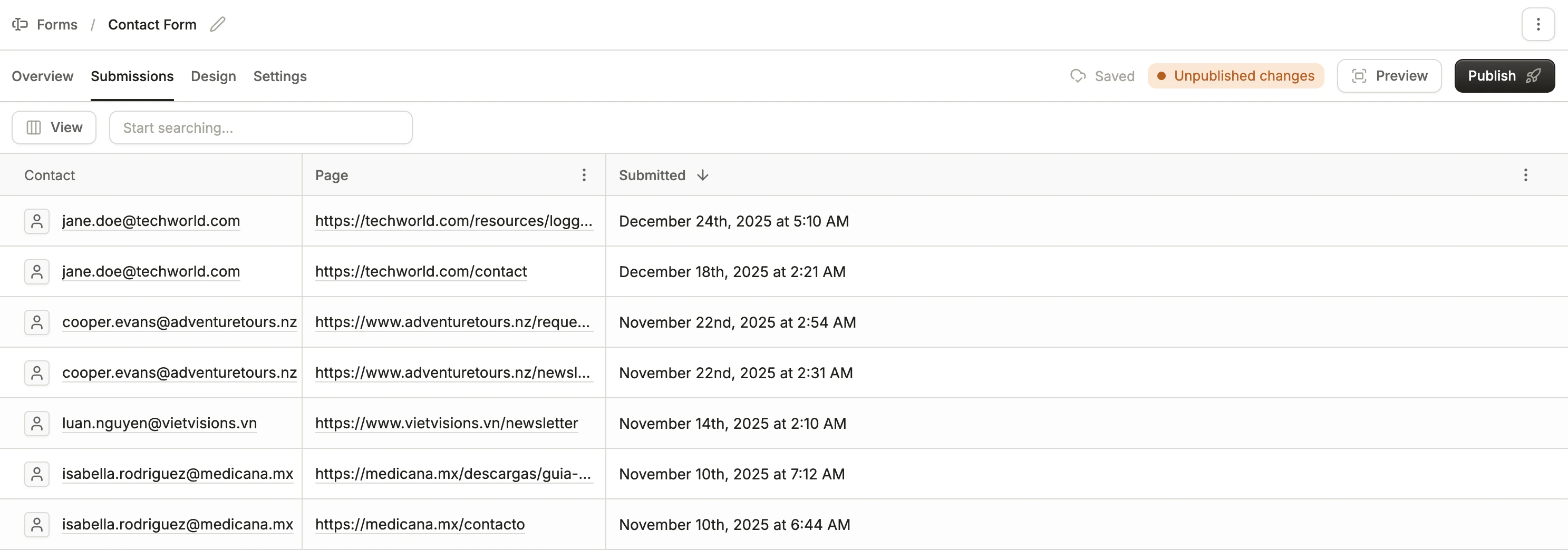
- The linked contact’s email address (“Anonymous” if no contact is linked)
- The page URL the submission occurred on
- Timestamp of the submission
Viewing an individual submission
You can view the fields submitted through a form submission by clicking on a row. The field names will be displayed along with the values.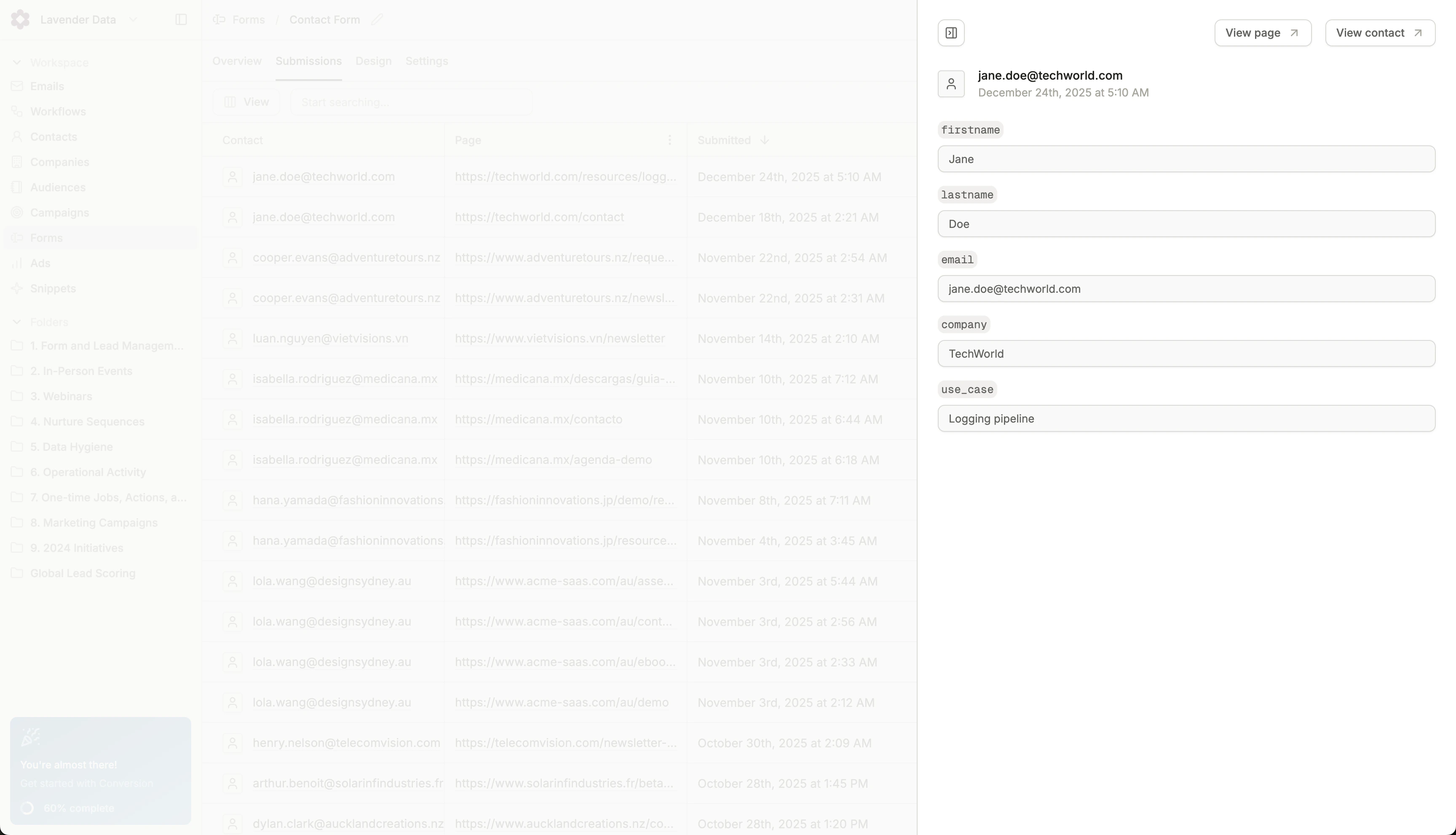
Individual form submission
A multi-checkbox field stores every option the visitor selected in one value, separated by semicolons (for example
analytics;automation), in the order the options are configured on the field. Submissions sent through the Forms SDK use the same format.